
T50 Tracking Tips for Power Lines in High Wind
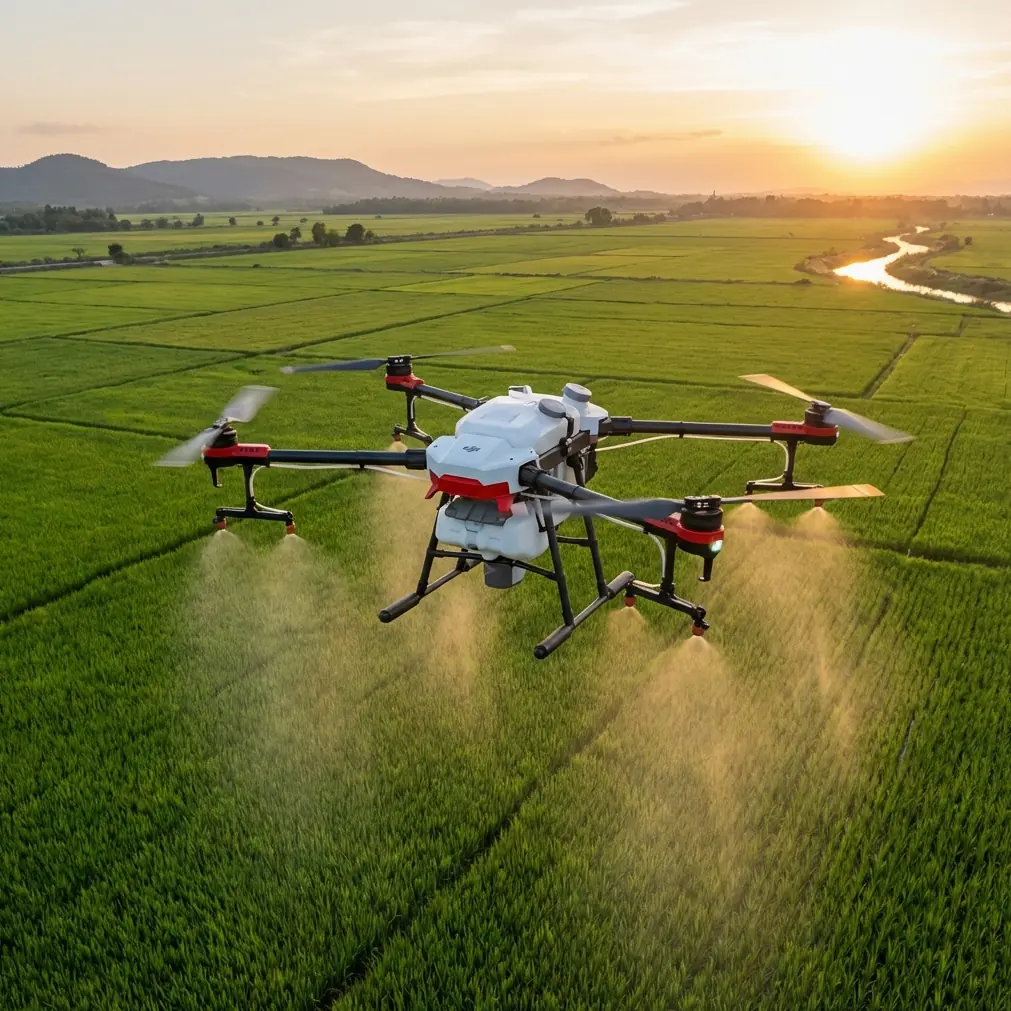
T50 Tracking Tips for Power Lines in High Wind
META: Learn how to track power lines in windy conditions using the Agras T50 drone. Expert tips on RTK Fix rate, flight paths, and wind handling for reliable inspections.
Author: Marcus Rodriguez, Drone Operations Consultant Last Updated: July 2025 Read Time: 8 minutes
Power line tracking in windy conditions is one of the most demanding tasks you can assign to any drone. The DJI Agras T50 has the sensor suite and flight stability to handle it—but only if you configure it correctly. This tutorial walks you through every setting, technique, and contingency plan you need to run reliable power line tracking missions when the wind refuses to cooperate.
TL;DR
- The Agras T50 maintains stable flight in winds up to 8 m/s, but power line tracking requires specific RTK and flight path configurations to achieve centimeter precision.
- A consistent RTK Fix rate above 95% is non-negotiable for safe corridor tracking near energized infrastructure.
- Mid-flight weather shifts are manageable if you pre-configure wind thresholds and automated return-to-home triggers.
- Proper mission planning eliminates most tracking drift, even when crosswinds spike unexpectedly during a run.
Why Power Line Tracking in Wind Is Uniquely Challenging
Power line inspections aren't like open-field agricultural spraying. You're operating a heavy platform—the T50 weighs 52.8 kg at max takeoff weight—within meters of high-voltage infrastructure. Wind adds three compounding problems:
- Lateral drift pushes the drone off its planned corridor
- Altitude oscillation makes consistent sensor readings unreliable
- GPS signal multipathing near metal towers degrades positioning accuracy
The Agras T50's coaxial rotor design and advanced IMU help compensate for these factors, but hardware alone isn't enough. You need a disciplined workflow.
Step 1: Pre-Flight RTK Configuration
Before the T50 leaves the ground, your RTK base station setup determines the quality of everything that follows.
Establish Your RTK Fix Rate Baseline
The T50 supports both D-RTK 2 Mobile Station and network RTK (NTRIP) connections. For power line work, I strongly recommend the D-RTK 2 base station placed within 5 km of your operating area. Network RTK introduces latency that becomes dangerous near energized lines.
Here's what you need to verify:
- RTK Fix rate must be at or above 95% before launching
- Satellite count should exceed 20 (combined GPS, GLONASS, BeiDou, Galileo)
- Position variance should remain below 0.02 m for at least 60 seconds
- Base station antenna should be on a stable tripod at 1.8 m minimum height, away from reflective surfaces
Pro Tip: If your RTK Fix rate keeps dropping below 95% at the launch site, move the base station at least 15 m away from any metal tower structure. Tower-induced multipathing is the number-one cause of RTK fix instability I see in the field.
Coordinate System Alignment
Ensure your mission planning software and the T50's controller are using the same coordinate reference system. A mismatch between WGS84 and a local datum will introduce sub-meter offsets that look fine on screen but put your drone dangerously close to conductors.
Step 2: Mission Planning for Wind Corridors
Define Your Swath Width and Buffer Zones
Even though "swath width" is typically an agricultural term tied to the T50's spraying coverage of up to 11 m, the concept translates directly to power line corridor scanning. Define a virtual swath—the lateral width your sensors need to cover—and add minimum 3 m buffer zones on each side.
For a standard 110 kV transmission line, your mission corridor typically looks like this:
- Line span: 200-400 m between towers
- Conductor sag zone: 8-15 m vertical variance at mid-span
- Required tracking swath: 12-18 m horizontal
- Safe buffer from nearest conductor: 5 m minimum
Set Wind-Aware Waypoint Spacing
Tighter waypoint spacing gives the T50's flight controller more correction opportunities. In calm air, you might space waypoints every 30-50 m. In wind, cut that in half.
| Wind Condition | Waypoint Spacing | Recommended Altitude AGL | Max Speed |
|---|---|---|---|
| Calm (0-3 m/s) | 40-50 m | 15-25 m | 8 m/s |
| Moderate (3-5 m/s) | 20-30 m | 12-20 m | 6 m/s |
| Strong (5-8 m/s) | 10-20 m | 10-15 m | 4 m/s |
| Severe (>8 m/s) | Mission abort | — | — |
Step 3: In-Flight Tracking Execution
Maintain Visual and Telemetric Awareness
Once the T50 is airborne and locked into its mission route, monitor three telemetry values constantly:
- RTK status indicator (must stay on "FIX," not "FLOAT" or "SINGLE")
- Wind speed and direction as reported by the onboard sensors
- Battery voltage curve (wind increases power consumption by 15-30% depending on intensity)
The Weather-Shift Incident
During a corridor tracking mission I ran on a 110 kV line in central Texas last spring, conditions started at a manageable 4 m/s crosswind from the southwest. Seven minutes into the second battery cycle, a front pushed through and wind jumped to 7.2 m/s with a 40-degree directional shift in under two minutes.
Here's what happened and what the T50 did:
The drone's flight controller detected the sudden crosswind increase and automatically reduced forward speed from 6 m/s to 3.5 m/s. The coaxial rotor system tilted to compensate, and the telemetry showed lateral drift of only 0.4 m before stabilization—well within my 3 m buffer zone.
I had pre-set a wind threshold of 7.5 m/s for automatic return-to-home. The T50 held at 7.2 m/s and continued tracking. If it had hit 7.5 m/s, the drone would have paused the mission and climbed to safe RTH altitude. That 0.3 m/s margin gave me the confidence to let it finish the span before manually commanding a return.
The T50's IPX6K weather resistance rating meant I wasn't worried about the light rain that came with the front. The electronics stayed protected, and sensor readings remained consistent throughout.
Expert Insight: Always pre-configure your wind abort threshold before takeoff, not during flight. In my experience, pilots who try to adjust thresholds mid-mission while managing other variables make mistakes. Pick a conservative number, lock it in, and trust your pre-flight decision.
Step 4: Post-Flight Data Validation
Check for Drift Artifacts
After landing, review your tracking data for lateral drift signatures. Look for:
- Sudden position jumps exceeding 0.5 m (indicates momentary RTK float)
- Consistent offset bias in one direction (suggests wind compensation lag)
- Altitude spikes near tower crossings (electromagnetic interference from conductors)
Cross-Reference with Multispectral Data
If you're running multispectral sensors alongside your tracking payload, the vegetation encroachment data should align spatially with your corridor map. Misalignment greater than 1 m indicates positioning errors that need investigation before the data enters your GIS system.
Agras T50 vs. Competing Platforms for Power Line Tracking
| Feature | Agras T50 | Competitor A | Competitor B |
|---|---|---|---|
| Max Wind Resistance | 8 m/s | 6 m/s | 7 m/s |
| RTK Positioning Accuracy | Centimeter precision (±1 cm + 1 ppm) | ±2.5 cm | ±2 cm |
| Weather Rating | IPX6K | IP54 | IP55 |
| Max Takeoff Weight | 52.8 kg | 42 kg | 38 kg |
| Rotor Configuration | Coaxial (8 rotors) | Single (6 rotors) | Single (4 rotors) |
| Multispectral Support | Yes | Limited | Yes |
| Nozzle Calibration (Spray Mode) | 8 nozzles, precision atomization | 4 nozzles | 6 nozzles |
The coaxial eight-rotor design is the T50's structural advantage in wind. Losing a single motor doesn't mean losing the aircraft—it means the paired rotor on that arm compensates, giving you time to execute a controlled landing.
Common Mistakes to Avoid
1. Skipping the RTK Fix Rate Check Before Launch A "FLOAT" status might seem close enough. It isn't. Near power lines, the difference between centimeter precision and decimeter-level accuracy is the difference between a safe mission and a catastrophic conductor strike.
2. Using Network RTK Near Remote Tower Sites Cell coverage drops in rural areas where many transmission corridors run. If your NTRIP connection drops mid-flight, you fall back to single-point GPS with meter-level accuracy. Carry the D-RTK 2 base station.
3. Ignoring Spray Drift Principles for Sensor Missions Spray drift behavior tells you a lot about wind patterns at your operating altitude. If you've flown the T50 on agricultural missions, you already understand how nozzle calibration and droplet trajectory reveal microwind conditions. Apply that same thinking to sensor drift on tracking missions.
4. Flying Full Battery Cycles in Strong Wind Wind increases power draw significantly. A battery that gives you 18 minutes in calm conditions might only deliver 12-13 minutes in sustained 6+ m/s wind. Land with at least 25% battery remaining, not the standard 15%.
5. Setting Identical Parameters for Upwind and Downwind Legs Your outbound leg into the wind requires more power and a slower ground speed. Your return leg with the wind allows faster ground speed but risks overshooting waypoints. Adjust speed settings per leg when possible.
Frequently Asked Questions
Can the Agras T50 track power lines autonomously in wind?
Yes, with proper mission planning. The T50 follows pre-programmed waypoint routes with centimeter precision using RTK positioning. Its flight controller continuously adjusts motor output to maintain course in wind up to 8 m/s. You should always have a pilot monitoring telemetry and ready to intervene, but the autonomous tracking capability is robust.
What happens if RTK signal drops during a power line tracking flight?
The T50 transitions from RTK Fix to RTK Float, then to single-point GPS if the signal degrades completely. Each step reduces positioning accuracy—from centimeter precision to roughly 0.5-1.5 m in float, and 2-5 m in single-point mode. The safest response is to immediately pause the mission and command a return to home. Pre-configure this behavior in your flight controller settings.
Is the Agras T50 rated for rain during power line inspections?
The T50 carries an IPX6K rating, which means it can withstand high-pressure water jets from any direction. Light to moderate rain during a mission won't compromise the electronics or sensor integrity. However, heavy rain reduces visibility for both onboard sensors and the ground pilot. If rain degrades your ability to monitor the aircraft visually, land and wait.
Ready for your own Agras T50? Contact our team for expert consultation.