
Agras T50 for Remote Wildlife Mapping: What Actually Works
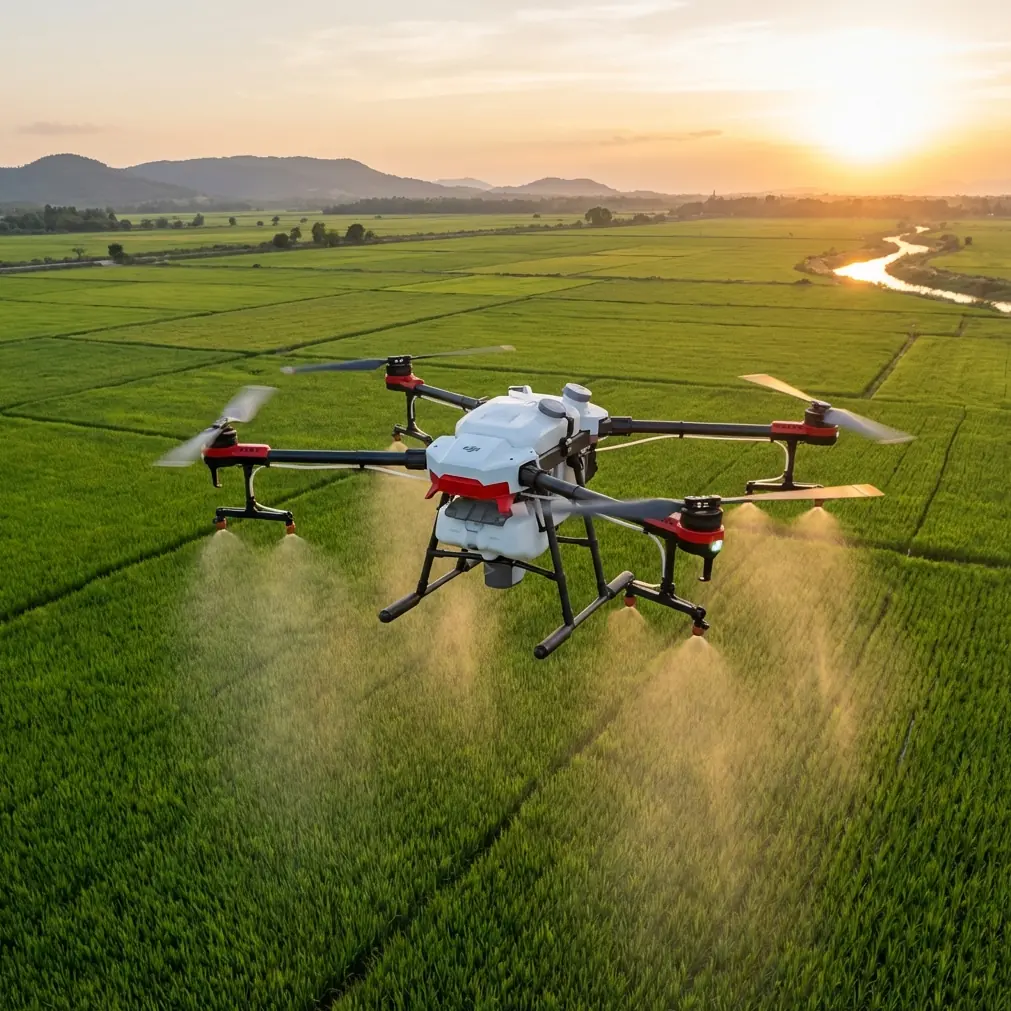
Agras T50 for Remote Wildlife Mapping: What Actually Works in the Field
META: Practical Agras T50 mapping guide for remote wildlife work, with processing advice, RTK and antenna setup tips, and why orthomosaic workflow choices matter.
The Agras T50 is usually discussed through the lens of crop protection. That makes sense. It is built for hard outdoor work, broad-area coverage, and repeatable flight performance. But for teams trying to map wildlife habitat in remote areas, those same traits become useful in a different way. The question is not whether the T50 can fly in rough environments. It can. The better question is how to use it intelligently when your deliverable is not a spray job, but a usable map.
That distinction matters because remote wildlife mapping has its own failure points. You can finish a flight and still come home with imagery that does not answer the biological question. You can burn hours on processing and end up with a beautiful orthomosaic that still cannot separate one vegetation type from another. And if your communications setup is weak, range on paper will not save you in a valley, wetland edge, or broken upland corridor.
This guide is built around a simple operational truth pulled from the reference material: image products and processing decisions determine whether your fieldwork becomes insight or just data storage. One source described an ArcGIS-based light UAV crop survey workflow where operators selected only Create Orthomosaic and deliberately left Create Digital Surface Model unchecked. That is more than a software click path. It reflects a strategic choice: if your primary task is 2D habitat interpretation, a clean orthomosaic can be the fastest path to a usable map. In the same workflow, measured compute time for a single plot ranged from 1 to 6 hours, depending on image resolution, photo count, CPU cores, and memory. That is the kind of detail field teams ignore until processing becomes the bottleneck.
For wildlife mapping with the Agras T50, those lessons carry over directly.
Start with the mission, not the aircraft spec sheet
Remote wildlife work usually falls into one of four mapping categories:
- Habitat boundary mapping
- Water and wetland condition checks
- Nesting or feeding area change detection
- Corridor documentation over time
The T50 can support these jobs when your intent is broad visual mapping, repeat repeatability, and georeferenced coverage. It is less about leaf-level species identification and more about pattern recognition across terrain.
That caveat is backed by the reference data. In the ArcGIS workflow document, the resulting orthomosaic reached 5 cm resolution, yet the operators still could not identify crop type in each field by visually inspecting leaves. That is an unusually valuable reminder for wildlife users. Many teams overestimate what “high resolution” means in practice. Five centimeters sounds sharp. Sometimes it is. But if your conservation question requires seeing fine leaf morphology, small burrow openings beneath canopy, or species-level vegetation differences, a standard orthomosaic from a utility-focused drone workflow may not be enough.
For the Agras T50 operator, the operational significance is clear: plan the flight around the information threshold you actually need. If your target is habitat extent, waterline movement, grazing pressure, or canopy gap mapping, a T50-based orthomosaic workflow can be productive. If your target is species-level plant classification from leaf traits, you may need a different sensor strategy, lower altitude, supplemental ground truthing, or multispectral support.
Why orthomosaic-first is often the right move
The ArcGIS reference specifically recommends enabling initial processing with default settings, then selecting Orthomosaic and DSM options in a way that outputs only the orthomosaic and not the DSM. For remote wildlife mapping, that approach often makes sense.
Here is why.
A DSM can be useful when elevation structure itself is the deliverable. Think floodplain relief, shrub height approximation, levee edges, or erosion analysis. But DSM generation adds processing load and can complicate a workflow that already has enough variables: long travel times, inconsistent mobile connectivity, weather windows, and power management in the field.
If your team needs a baseline habitat map fast, orthomosaic-first has three advantages:
- Faster turnaround for analysts and ecologists
- Lower computing burden in camp or field office conditions
- Easier visual comparison across repeat flights
The source data notes that one plot could require 1 to 6 hours of calculation. Scale that to a larger conservation block and the time cost becomes serious. If you are mapping remote wildlife corridors across multiple sectors, chasing every possible derivative product can slow your project more than it helps it.
So the best practice with a T50 is often this: build the cleanest orthomosaic you can first, validate whether it answers the biological question, and only then decide if a surface model is worth the extra processing overhead.
Do not assume image sharpness equals ecological usefulness
This is where many mapping programs stumble.
The reference document’s 5 cm orthomosaic still failed at crop-type discrimination by leaf detail. In wildlife work, that same limit shows up when teams try to infer too much from RGB imagery alone. A map can be geometrically excellent and biologically weak. You may be able to trace trails, drainage lines, bare ground, shrub encroachment, or water spread, yet still fail to distinguish invasive versus native vegetation in a mixed stand.
That does not make the T50 a poor choice. It just means you must assign it the right role.
A practical breakdown:
Good fit for Agras T50 mapping
- Large habitat block documentation
- Repeat monitoring after rain, drought, or fire
- Waterbody perimeter updates
- Accessibility and terrain condition checks for field teams
- Vegetation pattern change at coarse to moderate detail
- Orthomosaic creation for GIS overlays
Weak fit without additional tools
- Fine plant species discrimination by leaf shape
- Under-canopy wildlife detection
- Detailed structural ecology products from RGB alone
- Small-animal identification in visually cluttered vegetation
If you need more than RGB visual interpretation, this is where multispectral planning enters the conversation. Not because it is fashionable, but because spectral separation can reveal distinctions a standard orthomosaic cannot.
RTK fix rate and centimeter precision are only useful if your workflow respects them
People love to say “centimeter precision,” but that phrase has no value by itself. Precision only matters when it survives the entire chain: takeoff setup, satellite conditions, antenna placement, image overlap, processing discipline, and ground interpretation.
For wildlife mapping, good RTK fix rate supports three things:
- Reliable alignment across repeat surveys
- Better confidence when measuring habitat edges or water movement
- Cleaner GIS integration with previous layers and field observations
On the T50, this becomes especially relevant when you are revisiting the same remote site over time. If your project is about seasonal movement or habitat change, consistency is worth more than raw resolution. A slightly less dramatic image that lines up accurately month after month is more useful than a visually impressive mosaic that drifts spatially.
This is where antenna positioning quietly becomes one of the most important field habits.
Antenna positioning advice for maximum range in remote terrain
The single easiest way to lose communication performance is poor controller and antenna orientation. In remote wildlife areas, signal quality is shaped not just by distance but by slope, vegetation density, moisture, and your own body position relative to the controller.
Best practice with the Agras T50:
- Keep the controller antennas oriented to present their broadside toward the aircraft, not their tips.
- Raise the controller position slightly when terrain drops away in front of you.
- Avoid standing directly behind vehicles, metal fencing, or dense brush lines.
- Do not let your body shield the controller when the aircraft is already near the edge of useful line-of-sight.
- If flying across uneven topography, reposition yourself before signal quality degrades rather than after.
That last point matters most. In wildlife mapping, teams often set up where the vehicle stopped, not where communications are best. Those are rarely the same place.
If you are planning a difficult remote deployment and want a field checklist for controller setup and antenna orientation, you can message the operations desk here before you head out.
Weather sealing and hard-use practicality matter more than many mapping teams admit
The T50’s rugged build profile is one reason it remains interesting beyond pure agricultural spray work. In remote habitat surveys, equipment is exposed to mud, mist, splash, dust, and repeated transport over rough access roads. That is where an IP-rated airframe becomes more than a spec line.
The mention of IPX6K in your context hints at exactly this practical value. For field teams, that level of washdown-ready durability changes how confidently the drone can be used around wet pasture edges, irrigation infrastructure, marsh approaches, and post-rain access zones. It does not mean careless operation. It means the aircraft is better suited to demanding outdoor work than a fragile, office-to-tripod style mapping platform.
In wildlife projects, reliability has a compounding effect. One delayed survey window can mean missing a migration pulse, a nesting stage, or a temporary wetland condition that will not look the same next week.
Swath width is not just for spraying
Agras operators think naturally in swath width because application efficiency depends on it. For mapping, the same mindset helps when covering large remote blocks. You are still optimizing area, overlap, and time. The difference is that your concern is image continuity rather than spray deposition.
The lesson from agricultural operations translates well: broad coverage is only useful if consistency is maintained. Uneven passes, rushed turns, and poor overlap create downstream processing problems that no amount of desktop patience fully fixes.
When building a wildlife mapping route with the T50:
- Prioritize repeatable lane spacing
- Keep altitude and speed stable enough for uniform imagery
- Respect terrain shifts that can affect effective ground sampling distance
- Avoid treating mapping like an afterthought between utility tasks
That last point deserves emphasis. If the mapping run is worth doing, it is worth flying as a mapping mission, not as a casual visual record.
A note on spray drift and nozzle calibration in a mapping conversation
These terms belong to crop operations, yet they still have relevance here because many T50 owners use the same aircraft for multiple mission types. If your platform alternates between application work and habitat mapping, maintenance discipline matters.
Residual contamination, dirty optics, or poorly cleaned surfaces can compromise image quality and field readiness. Nozzle calibration itself is not part of mapping, but the operational culture behind it is. Teams that calibrate, inspect, clean, and verify systems methodically tend to produce better mapping data too. The habit transfers.
If one aircraft handles both spray and survey roles, separate those workflows mentally and procedurally:
- Clean thoroughly after application operations
- Inspect imaging components before mapping flights
- Confirm mission settings are rebuilt for imaging rather than inherited from previous field tasks
Small oversights create ugly datasets.
Build your processing pipeline before the first flight
The ArcGIS reference gives a deceptively simple lesson: software choices made after landing can determine whether your project stays on schedule. If your wildlife team is collecting data in remote areas, you should know in advance:
- Whether you need only an orthomosaic or also a DSM
- How many images your field laptop or office workstation can realistically process
- How long a typical block takes under your hardware conditions
- Where outputs will be stored and how they will be named
- How the final map will be checked against field observations
That source stated processed orthomosaics were stored in a products\2D directory. The exact folder name matters less than the principle: standardized output handling saves time, reduces confusion, and prevents mistakes when multiple survey blocks are involved.
Remote wildlife projects often fail quietly in file management long before they fail in flight.
The best way to think about the Agras T50 for wildlife mapping
Do not think of it as a substitute for every specialist survey drone. Think of it as a durable field platform that can produce useful large-area mapping outputs when the mission is framed correctly.
Its value is strongest when:
- the area is remote,
- the terrain is demanding,
- repeat site visits matter,
- broad georeferenced visual coverage is the goal,
- and your team understands the limits of RGB orthomosaic interpretation.
The most useful insight from the reference materials is not glamorous. A 5 cm orthomosaic may still miss the fine detail needed for biological classification, and a seemingly simple processing job may still take 1 to 6 hours per plot depending on hardware and image volume. Those two facts shape better decisions than any inflated marketing claim. They tell you to define the ecological question first, capture only what the question requires, and process only what the project can use.
That is how the Agras T50 becomes effective in remote wildlife mapping: not by pretending it is something else, but by using its field toughness, repeatability, and mapping discipline where they actually count.
Ready for your own Agras T50? Contact our team for expert consultation.